Enabling Customer Success Managers to Demo Without Sales Engineering
CSMs need production-ready demo content, not more training, to close the SE availability bottleneck.
A CSM who needs to show a customer a higher-tier feature, and finds the only Sales Engineer with bandwidth is booked, is looking at a workflow problem, not a skills problem: CSMs are structurally capable of owning the full post-sale relationship, but the demo moment keeps defaulting to Sales Engineers because CSMs lack ready-to-deploy, polished product content they can use independently. Rocketlane's customer success guide notes that a CSM's job already covers onboarding, adoption, risk detection, renewal readiness, and expansion, the entire post-sale lifecycle. Demos fit naturally into nearly every part of that list, yet CSMs routinely hand that piece off because live walkthroughs of any real complexity have traditionally required an SE in the room. The gap is in the content asset, not in understanding. CSMs know how the product solves a customer's business problem as well as anyone on the team. What they don't have is a content asset that shows that understanding at the production quality a live SE demo delivers. The dependency is about the absence of an artifact, a polished walkthrough, an interactive tour, a narrated screen recording, that a CSM could pull up on demand instead of scheduling a person. Multiplied across a CSM's book of accounts, that gap breaks the math. A CSM cannot coordinate SE availability for every adoption conversation, every upsell moment, and every onboarding walkthrough on the calendar. The bottleneck sits in logistics, separate from what the CSM knows or can explain. Fixing it means giving CSMs something to deploy, not giving them more training.
What CSMs are trying to accomplish when they demo
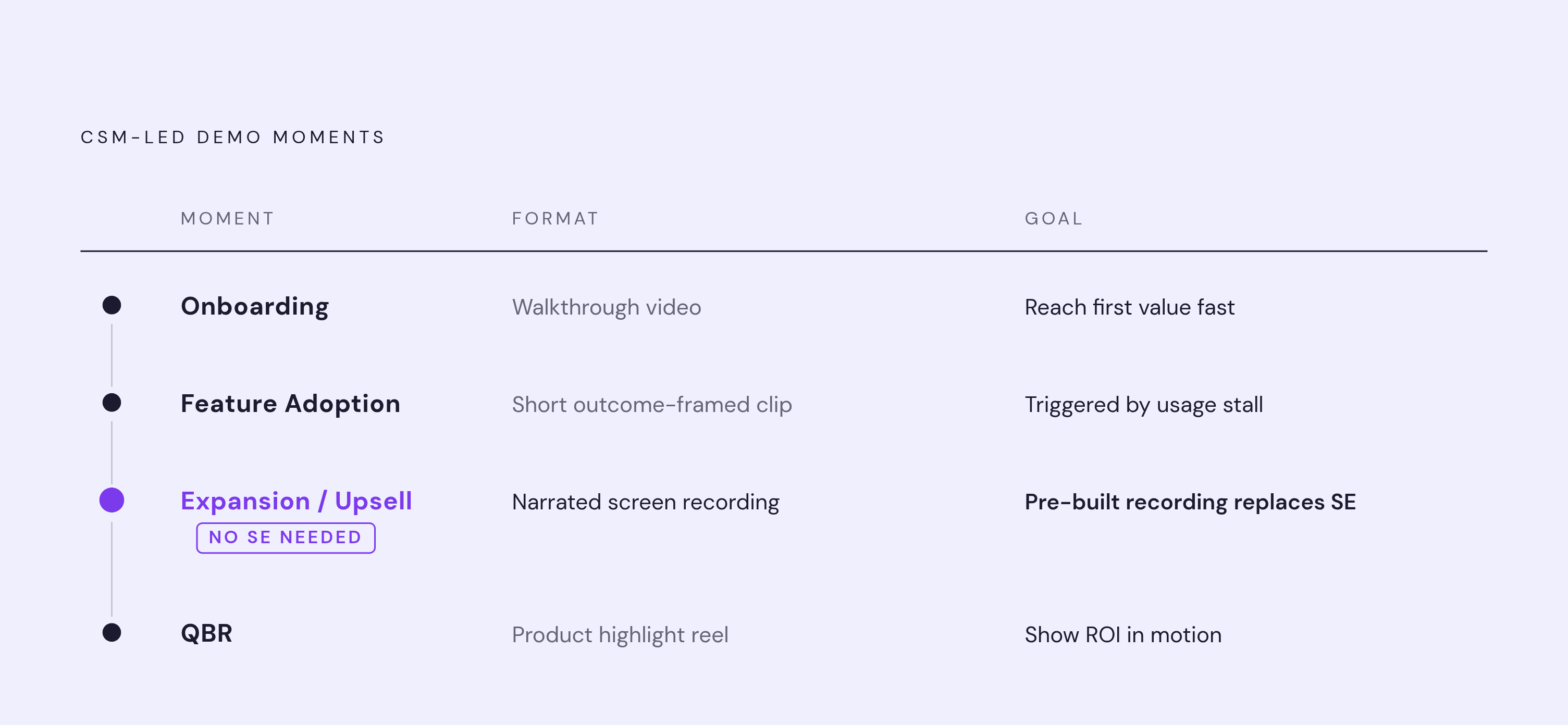
CSM-led demos occur in four distinct moments across the customer lifecycle, and each one calls for a different goal and a different format. The first is onboarding. New customers need to reach first value fast, and Rocketlane identifies activation, completing initial setup, and habit formation as the first two stages of adoption. A walkthrough video covering initial setup lets every new account start right away, with no live session required. The second moment is feature adoption: showing a customer they're leaving value on the table by not using a capability already available to them. It's a demonstration of possibility, short, framed around outcomes, and ready to trigger the moment usage data signals a customer has stalled.
The third moment is expansion and upsell. This is where CSMs most often say they need an SE, because the conversation has to feel credible and the demo has to look polished. A pre-built, narrated screen recording of the upgraded capability handles that credibility problem without pulling an SE into the call. The fourth moment is the QBR, or business review, where ROI needs to be shown, not just described in a slide deck. A short product highlight reel the CSM can share before or during the review turns an abstract value claim into something the customer can actually watch. Across all four moments, the requirement is the same: showing the product in motion rather than describing it in words. The barrier is the absence of a production-ready asset to show value with, not the CSM's ability to articulate it.
The Content Library as the Real Bottleneck
Teams that build customer enablement content, polished demos, walkthroughs, and education assets CSMs can run without help, see materially better retention than teams that don't. A Forrester Consulting study commissioned by Intellum found that formalized customer education programs lift adoption of trained-on products and improve top-line revenue, with positive ROI reported by the overwhelming majority of organizations studied.
Skipping it raises costs on the SE side of the ledger too. Every time a CSM pulls an SE into a demo, that consumes scarce technical headcount that could otherwise go toward pre-sales work. The real cost is the opportunity cost sitting on both sides of that interaction, the SE's time and the deal or renewal the CSM is trying to move forward. Some teams will point to the sales decks and product one-pagers they already have and ask why more content is needed. Static slides can't show a product in motion, and what CSMs need instead is narrated, polished video they can send asynchronously or play in a meeting without having to drive a live demo themselves. A deck answers "what does this do." A walkthrough answers "watch it happen." Those are different jobs, and only one of them replaces an SE.
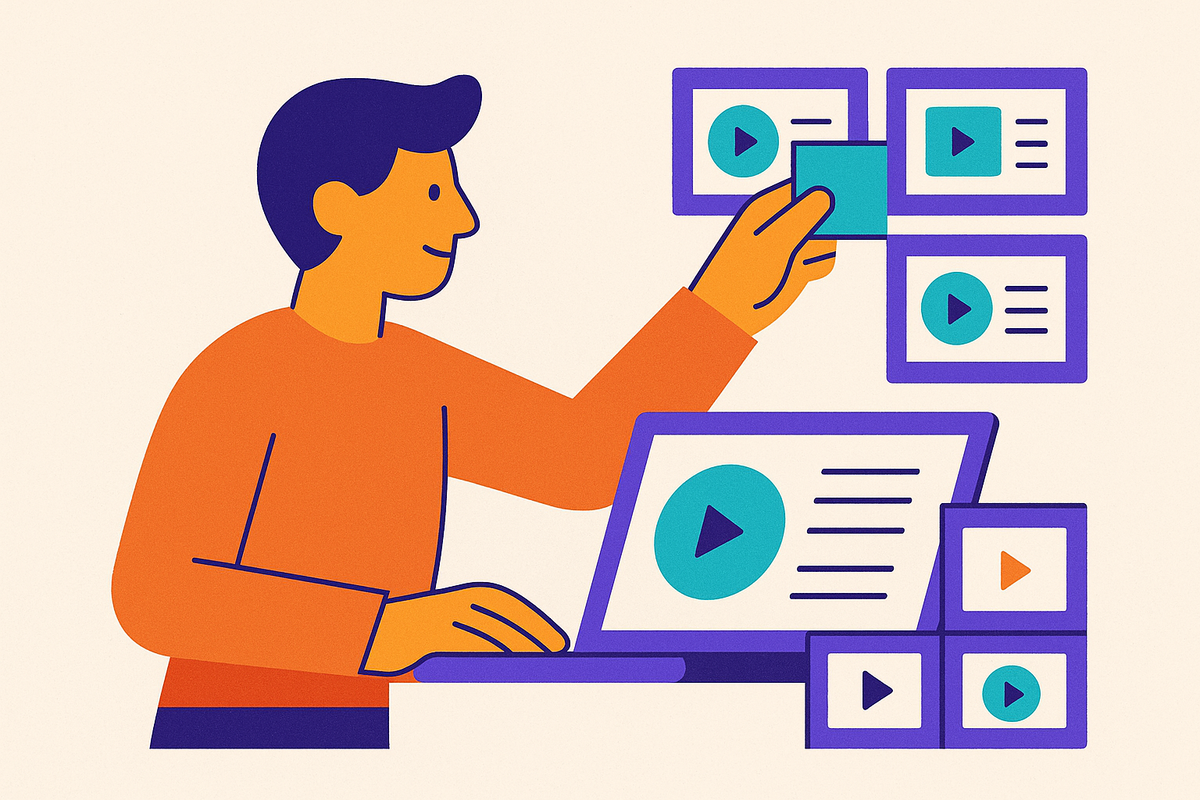
A content library built to enable CSM-led demos is a set of short, modular, format-specific assets, each matched to a lifecycle moment. Modularity matters because software roadmaps move fast: a long course goes stale the moment one button moves. The fix is building short modular assets, each one teaching a single task, feature, or decision, so a product change means updating one clip instead of rebuilding a curriculum.
Two formats carry most of the weight. The first is the narrated screen recording walkthrough, best suited to onboarding, initial setup, and step-by-step feature demonstrations. A clean screen walkthrough with strong narration consistently outperforms a presenter-led video for software tasks, which makes it the core CSM asset. The second is the interactive product tour, which lets a customer click through a product experience at their own pace. Platforms built for this, Navattic among them, let enablement teams build a single "gold standard" demo that every CSM can personalize and deploy, which keeps messaging and product showcases consistent across the team.
How the library is organized matters as much as what's in it. It should be structured by lifecycle stage, onboarding, feature adoption, expansion, QBR prep, rather than by product feature. CSMs think in terms of customer moments, not product architecture, and a library that mirrors product structure forces CSMs to translate their need into engineering language before they can find the right asset.
Producing Content Without a Video Production Team
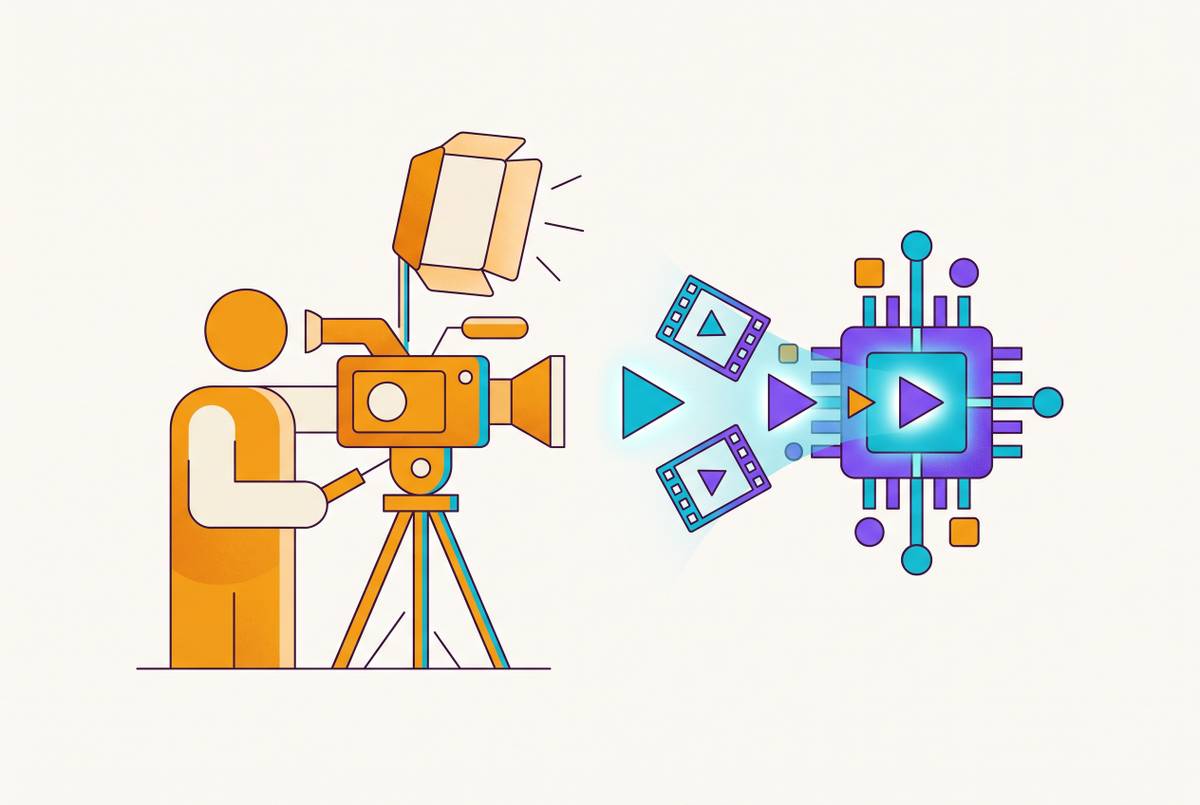
Most CSM content libraries stay empty because of the assumption that polished video requires a video production team, an assumption AI-powered production tools have made obsolete. The old path involved a CSM recording a raw screen capture, sending it to marketing or an editor, waiting days or weeks, getting back a version that's already slightly out of date, and starting the cycle again. That loop is too slow to keep a library current. Most libraries that start this way quietly die within a quarter.
The production math has changed enough to make the old path look unnecessary. One SaaS team using an AI-assisted production tool cut editing time from roughly two hours down to ten minutes per walkthrough, simply by uploading a raw screen recording and letting the tool generate a structured, narrated demo. Artlist's AI Trend Report found teams using AI video tools report producing many times more content with the same resources. That scale means a single CSM enablement manager can maintain an entire content library without needing a dedicated production staff.
The most efficient workflow doesn't stop at video. The same screen recording session can produce both a polished video and a written step-by-step article, so documentation and video stop being separate projects that each demand their own time budget. AI can handle the tedious parts of production: script cleanup, voiceover, zooms, captions. The review step still belongs to a person. The CSM or content owner needs to check the final output for accuracy, and clear ownership of that review matters more as the product keeps changing underneath the library.
Scaling the library across languages and teams without rebuilding from scratch
Once the library exists, reaching more languages and more internal teams should cost close to nothing, and AI-powered localization combined with self-serve production is what makes that true. Reshooting a ten-video onboarding series in multiple languages the old way gets expensive fast. Localizing the same series through AI dubbing and translation drops that cost to a fraction of what re-recording would run, according to a guide on multilingual training video.
CSMs aren't the only team this library serves. The same polished product walkthroughs can go to sales for asynchronous pre-demo sends, to L&D for internal training, to product for release communication, and to support for ticket deflection. Procore offers a sense of how far this can go: the company turned its customer academy into a lead generation engine by opening certification to the public. A library that starts as an internal CSM tool can grow into something the brand points to, and eventually into a pipeline asset in its own right.
Measuring whether the content library is doing its job
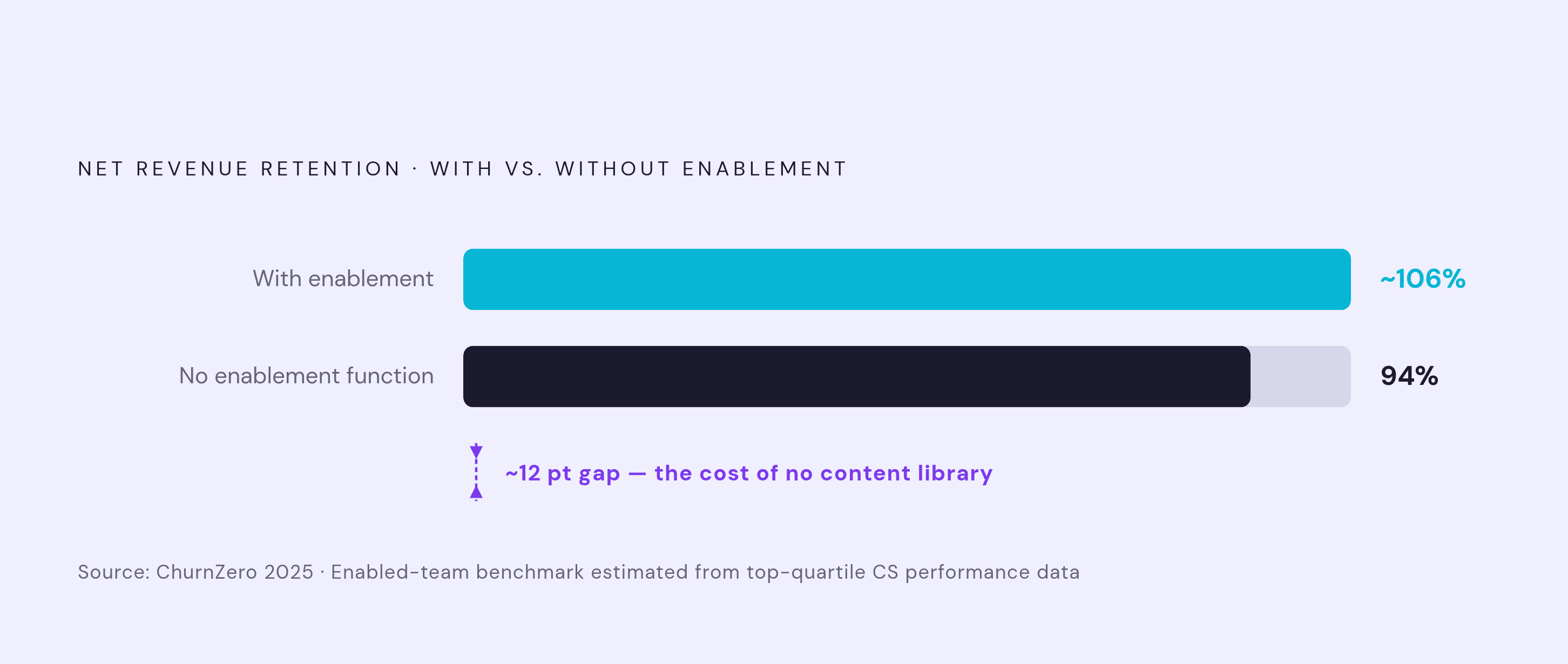
CSM content library ROI comes down to a small set of business metrics, and teams that lean on engagement numbers, views, completion rates, will lose the budget argument to teams that tie content back to NRR, churn, and time-to-value. Net revenue retention is the number leadership actually watches. ChurnZero's 2025 study found that teams without a customer enablement function reach just 94% NRR, giving teams a direct benchmark to measure against. What matters is the NRR gap that exists between accounts that used the content library and accounts that didn't.
Cohort comparison is the method that makes this defensible. Comparing NRR, support ticket volume, and product adoption scores between accounts that engaged with CSM demo content and accounts that didn't produces the kind of proof finance will actually accept. Time-to-value adds an earlier signal: how fast new accounts reach their first meaningful product milestone after onboarding starts. A library that shortens that window, and narrows the NRR gap between engaged and unengaged accounts, is a library paying for itself, and that's the argument a leader walks into a budget meeting with.