Mapping Demo Content to Onboarding Milestones in B2B SaaS
Align your existing demo content to when users actually need it, not when it's convenient to show.
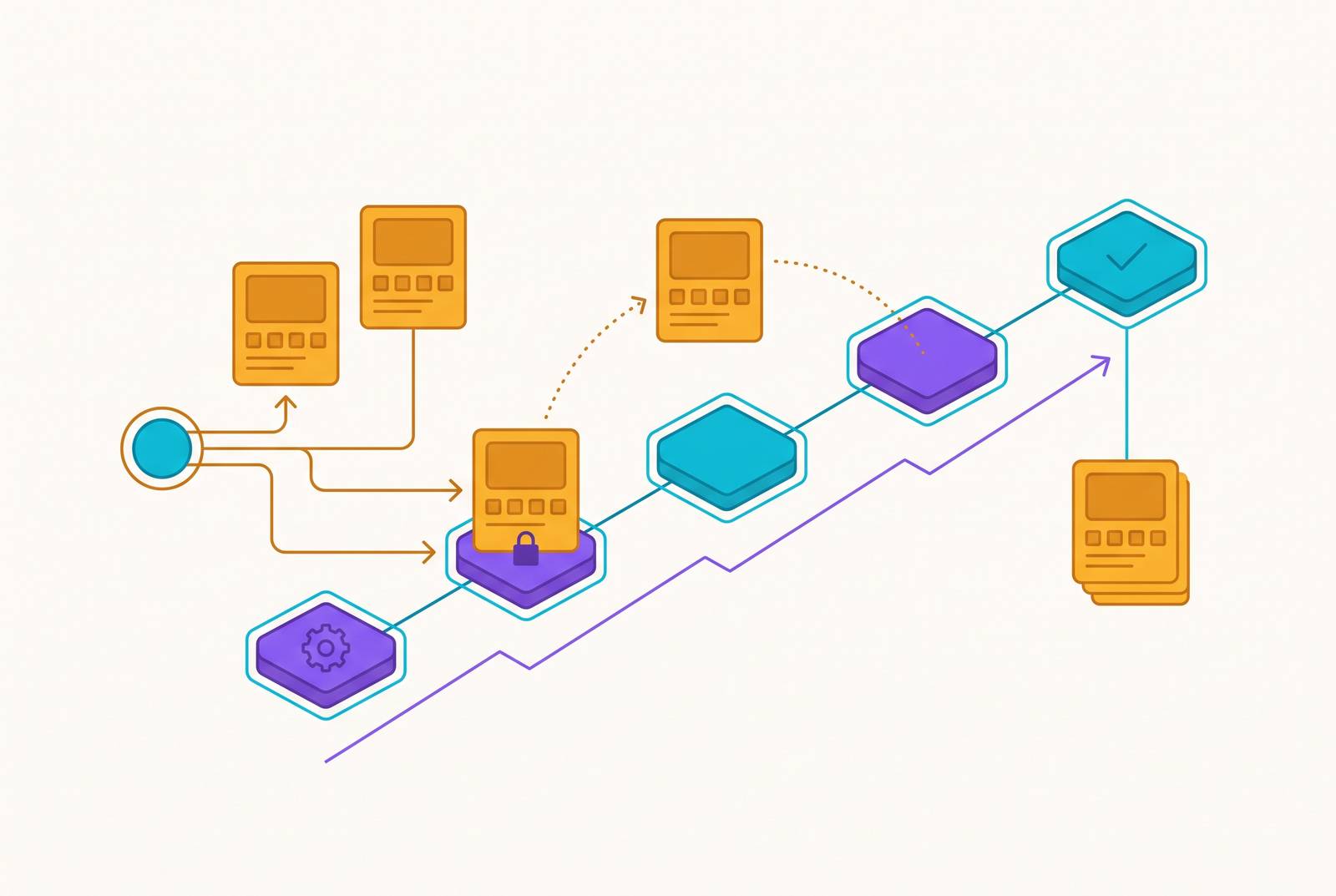
The problem with most B2B SaaS onboarding is sequencing: the right video or doc shows up at the wrong moment, aimed at a user who isn't ready for it yet. Fix the sequencing and the format match, and a pile of disconnected videos and help docs starts behaving like a system instead of a junk drawer.
Median activation rate across B2B SaaS sits at 37%, per Userpilot's 2024 benchmark of 62 companies. Fewer than four in ten users ever reach the point where the product does what it promised, and Amplitude's 2025 Product Benchmark Report puts a deadline on that number: over 98% of new users churn within two weeks if they haven't hit a real value milestone by then. Most teams read this as a content problem and respond by making more of it. That's the wrong move. The assets already exist, welcome emails, explainer videos, walkthroughs, SOPs, sitting in a folder somewhere collecting dust. What's missing is the mapping: which piece goes to which user, at which of the four moments where people actually decide whether to keep going.
The four onboarding milestones that actually matter and what makes each one distinct
Calendar-day drips assume every user moves at the same pace. Building onboarding around a fixed schedule instead of actual behavior is the first mistake worth naming directly. Behavior-triggered content, delivered when a user actually does something, drives up to 30% higher conversion and roughly 4.5 times more engagement than time-based drips, per Userpilot and Customer.io. So the four stages below are defined by actions rather than measured in days, and that distinction is the whole argument.
Signup. The user has credentials and nothing else: curiosity maybe, skepticism maybe, zero context for what comes next. The job is cutting ambiguity and making setup feel doable. A confusing first screen causes immediate dropout, and there's no second chance at this one, especially in a product with a free trial.
Activation. This is the milestone that matters most, because nearly all the churn risk sits with users who never cross it. Activation is specific to the product: sending a first report, finishing a first workflow, inviting a teammate. Vague activation definitions produce vague content, so nail down exactly what "activated" means before building anything for this stage. Skip that step and everything downstream turns into guesswork.
First value. People confuse this with activation constantly, and that confusion costs them. Activation is behavioral, something the user did. First value is perceived, something the user felt. A user can finish the action and still walk away unconvinced it worked. The benchmarks shift hard by segment: self-serve product-led growth tools should deliver value in 1 to 3 days, mid-market SaaS in 2 to 4 weeks, enterprise products with real implementation work in 30 to 90 days. The job here is reinforcement, tying what just happened back to the reason the user signed up in the first place.
Expansion. The user is active and comfortable, ready for more features, more teammates, adjacent use cases. The job is surfacing capability the user doesn't know exists, in a way that feels earned rather than pushed. The generic "did you know?" blast to the whole user base reads as noise and gets ignored; it needs to be specific to the role and use case.
None of this holds as a single track, though. A product manager and a VP evaluating the same platform need different content at every one of these four stages, not just softer or harder messaging aimed at the same slide deck. One BI platform segmented onboarding by role: data analysts got SQL training, marketing ops got attribution templates, executives got pre-built KPI dashboards. Activation rate climbed from 52% to 71%. Role segmentation is a multiplier on top of the milestone model, applied at each of the four stages, not a replacement for them.
What each demo content type is actually built to do
Four formats show up again and again in onboarding libraries. Each does exactly one job well, and each creates friction the moment someone drags it outside that job.
Overview video. Orientation from altitude. It shows what the product does and who it's for, not how to operate any feature. Two to five minutes is the right length, long enough to build context, short enough not to front-load detail nobody's ready for. It answers "is this the right tool for me?" not "how do I use this?" The common mistake: showing it only during the sales cycle, then letting it disappear during onboarding, so self-serve trial users who skipped the demo never see it at all.
Feature walkthrough. Guided task completion, one action, step by step. Quick tips run 30 to 90 seconds; a full workflow demo runs 2 to 5 minutes. It answers "how do I do this one thing?" and it only works scoped narrowly enough that someone can follow along in real time. The classic misuse is a single "full product tour" covering every feature in the app, which traps a user who just needs help connecting an integration behind fifteen minutes of setup instructions they didn't ask for.
Use-case SOP. Role-specific process documentation. Instead of "how to run a report," it covers "how a marketing ops team builds a weekly attribution dashboard using this report." Usually written, step by step, often paired with a short video produced alongside the doc rather than bolted on later. It answers "how does someone like me get the result I actually need?" Teams write these constantly for internal support training and then forget to hand the same doc to customers.
Interactive demo. Lets a user click through the product with no live account and no environment setup, and it shows up everywhere: launches, sales enablement, competitive positioning, early onboarding. It satisfies curiosity immediately instead of making someone wait. Worth noting: 73% of B2B decision-makers say they'd rather watch a short video than read a whitepaper, and interactive formats ride that preference without anyone spinning up a sandbox.
Each format has a home stage where it earns its keep, and several stages where it just gets in the way. The mapping below fixes that.
Matching content types to onboarding stages: the full mapping
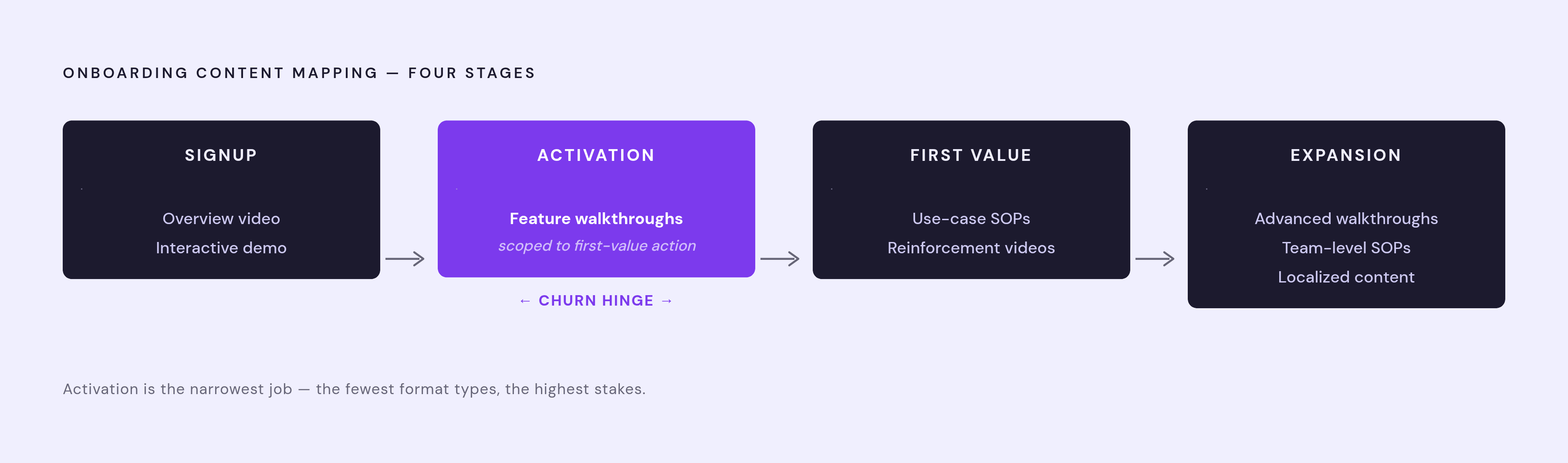
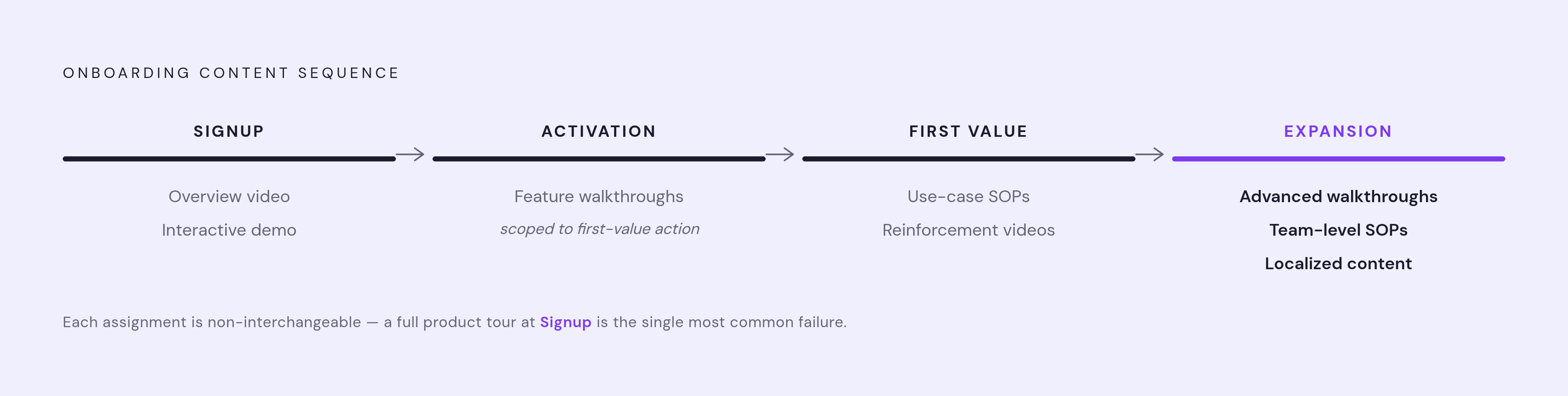
Signup → overview video + interactive demo. The user needs ambiguity reduced and confidence built before investing more time. The overview video handles fast orientation and belongs in the welcome email and onboarding checklist, not buried three clicks deep in a help center nobody visits on day one. The interactive demo lets them touch the product before setup friction hits. Skip feature walkthroughs entirely here; the user doesn't have enough context to know what they're watching, so detail at this stage is just noise. Automate this welcome package the instant the account is created. The tone set in the first few minutes carries through everything after.
Activation → feature walkthroughs, scoped tightly to the first-value action. The user needs to complete one specific thing that proves the product fits their situation. A 2 to 5 minute walkthrough beats a written checklist here, because it removes the uncertainty that causes people to abandon halfway through a task. Trigger this off behavior, when the user opens the relevant feature for the first time, not off a fixed calendar day regardless of what they've actually done. A reasonable sequence: day one gets welcome and overview, and the walkthrough on first workflow setup fires the moment the user attempts that workflow, whether that's hour two or day five. The generic "getting started" video covering six features at once works against this goal. The user needs to finish one action, not survey the whole product.
First value → use-case SOPs paired with short reinforcement videos. The user has activated and needs the result tied back to their actual job. The SOP does that translation work, turning a product capability into the outcome the role cares about. Pairing a short video with the written SOP cuts the effort of reading a cold process document, and the two produced together beat either alone. Segmentation matters more here than anywhere else: the SOP for a data analyst should look nothing like the one for a marketing manager, even inside the same product. A general orientation video is the wrong tool at this point, because the user has moved past "what is this?" and is asking "what else can this do for me?"
Expansion → advanced feature walkthroughs, team-level SOPs, and localized content. The user is comfortable, ready to bring in colleagues or push into adjacent use cases. Advanced walkthroughs should surface unused features as a natural next step, not a hard sell. Team-level SOPs matter here too, covering collaborative workflows or admin setup for colleagues about to get invited in. Localization matters most at this stage, because expansion is where a customer's global teams enter the picture: buyers consistently engage more with content in their own language, and the comprehension gap across languages is a real barrier to adoption. Ignore that gap and it turns into churn risk across a customer's internal team, not just one user. Watch for expansion content that's really a sales pitch wearing a content wrapper; it should feel like the product opening up, not an upsell in disguise.
Laid out stage by stage, the pattern holds: signup gets orientation, activation gets narrow task guidance, first value gets role-specific process docs, expansion gets depth and localization. Mixing those jobs up, sending a full product tour at signup or a general overview at first value, is the single most common mistake in the libraries that don't convert.
Building the content so it can be produced and updated without a production team
The harder problem is keeping this content accurate after the product ships its next update.
A walkthrough showing a button that no longer exists doesn't just fail to help; it damages trust. The user follows the steps, can't find what's on screen, and decides either the product broke or the content can't be trusted. Either way, the video now works against onboarding instead of for it. Stale documentation carries a real cost at scale: companies lose up to $52 million annually to inefficient process documentation, and employees burn roughly two hours a day hunting for information that may not be current. For a SaaS company whose UI changes every sprint, content needs to update in hours, not weeks, or the whole mapping strategy collapses under its own maintenance load.
AI-driven production is what makes that turnaround realistic. Teams using AI video tools report producing 5 to 10 times more content with the same headcount, which shifts the real bottleneck from "can we make this" to "should we make this," a far better problem to have. Modern platforms capture a workflow automatically, generate voiceover, add captions and smart zoom, and output branded video in minutes, work that used to need a dedicated producer and a multi-day turnaround. According to x-pilot.ai, AI video production runs roughly ten times faster and at about a tenth of the cost of the traditional process. The practical effect: a customer success manager updates the activation walkthrough the same afternoon a feature ships, instead of filing a ticket and waiting two weeks for a video team to get to it.
Producing video and documentation as one workflow, not two, matters just as much. The stage mapping above calls for both formats at nearly every step, and building them separately doubles the work while guaranteeing they drift out of sync. A screen recording that generates a polished walkthrough video and a written SOP from the same capture session is the model that keeps this sustainable, since there's only one source to update when the UI changes. Approved templates and structured review steps keep output consistent when customer success, product marketing, and training teams are all feeding the same library.
Localization needs the same treatment: a build-time decision, not a bolt-on project after the English version ships. If translating a walkthrough requires its own production cycle and its own budget line, it won't happen for most languages, full stop. Platforms supporting generation across 200-plus languages with one-click translation turn localization into a checkbox instead of a second project, which is the only way it survives contact with a real roadmap.
None of this works without basic governance either. Someone owns which team updates which content, what triggers a re-record, who signs off before it goes live. Skip that step, and the speed AI production offers just produces inconsistent content faster.
Measuring whether the mapping is working
The metric that matters is activation against a clearly defined milestone, rather than how many videos got watched. A user who sat through three onboarding videos and never completed the activation action isn't a success story, no matter how good the view-through rate looks on a dashboard. Views and click-throughs are proxies. They're easy to report and easy to feel good about, but they don't say whether the user actually got where they needed to go.
The target worth aiming for is a substantially higher activation rate with time-to-first-value under 14 days, against a current industry median of 37%. That gap, 37% versus 60%, is the size of the opportunity sitting in front of most B2B SaaS onboarding teams right now, and closing it has almost nothing to do with producing more content. It comes down to getting what already exists in front of the right user at the right moment, in the format built for that exact job.