Tagging and Taxonomy Systems for Large SaaS Demo Libraries
Organize demo libraries by how buyers search, not how products work.
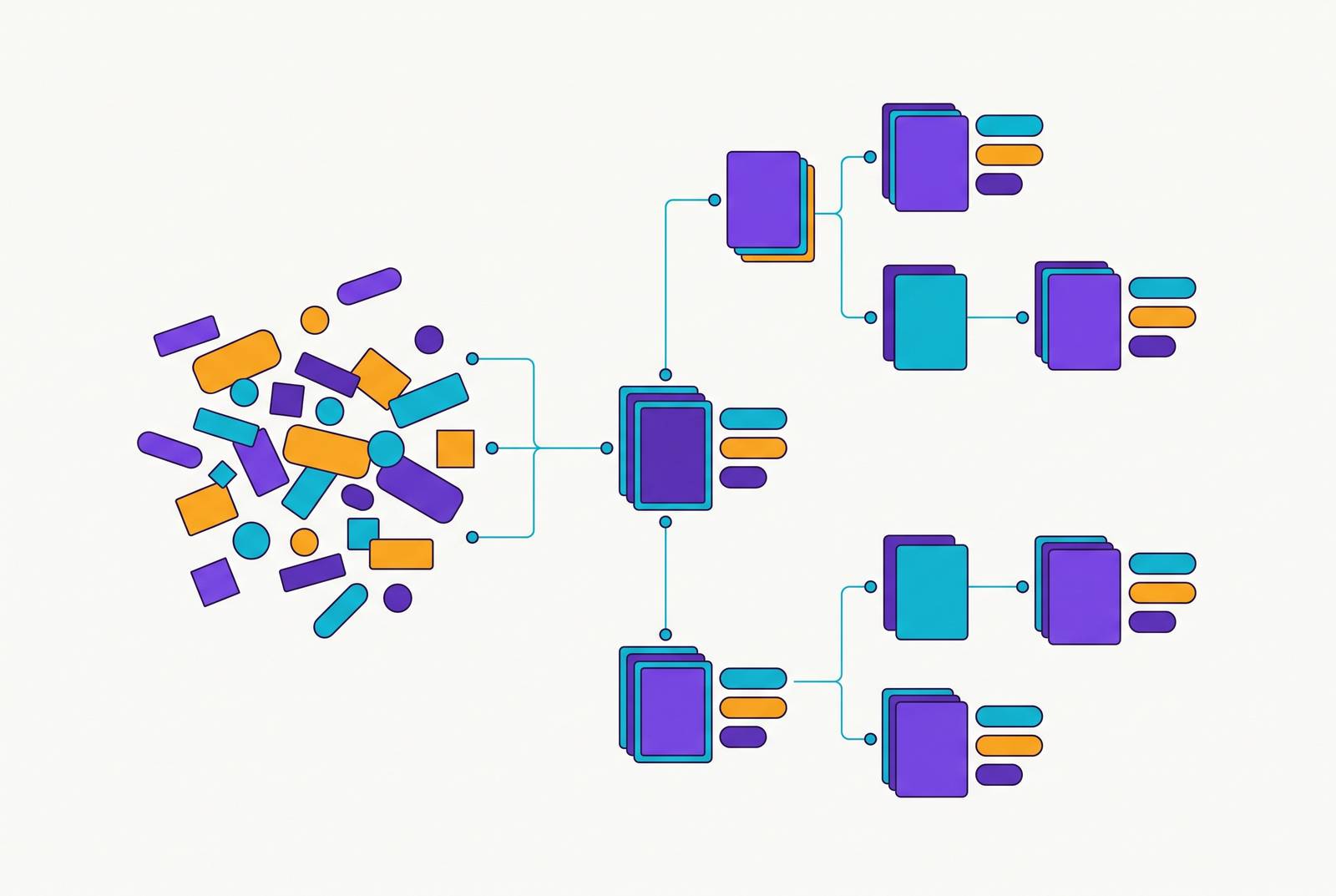
A sales rep has twenty minutes before a call with a healthcare compliance buyer, and needs the one recording that shows how the security review flow should go. The library has grown into a sizable archive of videos. The rep scrolls, opens three files that turn out to be the wrong version, gives up, and messages a colleague asking if anyone remembers where that demo lives. It happens across a sales team every week, because a SaaS demo library grows this way when it has no deliberate system behind it. Past a handful of recordings, the absence of real tagging and taxonomy turns the library from something the team can actually use into an archive nobody can open on demand.
Video is linear but memory is not. People remember what a demo covered, not when it covered it or what the file was named. That mismatch forces teams into two bad habits: scrubbing through recordings minute by minute, or interrupting a colleague to ask where something lives. When reps can't find existing content, they rebuild it, which creates duplicate assets, conflicting versions, and no way to tell which one is current. Customer success, learning and development, and product teams all hit the same breakdown. Each group ends up building its own shadow library instead of pulling from one shared, governed source, and the organization ends up paying to produce the same content many times over.
Taxonomy and tagging in the context of a demo library
Taxonomy and tags solve different problems, and treating them as the same thing is how libraries end up either too rigid to search or too loose to govern. A taxonomy is the hierarchy that organizes the library's logical space: Domain, then Topic, then Subtopic. For a SaaS demo library, that might look like Product, then Onboarding, then SSO Setup, or Sales Stage, then Technical Validation, then Security Review. The structure should stay shallow and consistent. Too flat, and the hierarchy tells users nothing. But if it's too deep, people get lost clicking through layers to find a single file.
Picture the same recording described two ways. In the first, it's a file named "demo_final_v3.mp4," sitting in a folder with forty other files named the same way. In the second, it carries a title built from a naming convention, a primary taxonomy node (Sales Stage, Technical Validation), a handful of tags (healthcare, enterprise, security review), a transcript with timestamps, a presenter name, and an access level. The video is identical. Only one of those two versions can be found by someone who wasn't the person who uploaded it.
Tags are what extend the system past the hierarchy. A taxonomy can't anticipate every way someone might search, so tags cover the dimensions it misses: audience role, buyer vertical, deal size, competitor mentioned, language version. Taxonomy decides where an asset lives. Tags decide how many different paths lead back to it. A metadata model sits beneath both: the set of structured fields every asset carries at minimum, including title, date, presenter, primary topic, secondary tags, a timestamped transcript, duration, and access level. You can filter a library down to five relevant results instead of scrolling through four hundred, if that structure is in place.
Why a flat tag list fails and video needs a two-layer model
You can't apply one set of tags evenly across every recording, because a recording is a container holding several distinct, reusable moments. Think of the asset itself as the spine of a book: it tells you what the whole thing is. The clip-level tags are the index inside it, and they point to the specific page you actually need.
Asset-level tags describe the whole recording: its format (full demo, highlight reel, one-minute overview), primary topic, intended audience, sales stage, and access tier. These answer the question "what is this video?" and support library-wide searches, filtered collections, and reporting on where coverage is thin. Clip-level tags work at a finer grain, marking a specific feature shown, an objection handled, a pricing moment, or a competitor question answered, each tied to its own timestamp. A twelve-minute demo might contain four separate taggable moments: a pricing discussion, a security objection handled, an integration walkthrough, and an executive ROI pitch. Each of those is reusable on its own, but only if something marks where it starts and ends.
Timestamped transcripts are what make the clip layer work. Without timestamps, a transcript is just text sitting next to a video, not something searchable. With timestamps, a tag doesn't just point to a video anymore. It points to the exact moment someone needs. That shift matters most for repurposing: a library built with clip-level tags turns into a production resource, something a team can pull from to assemble a new demo cut from existing footage, instead of a dead archive that only gets watched start to finish or not at all.
Building a seller-centric taxonomy rather than a product-logic taxonomy
The most common mistake in organizing a SaaS demo library is building the taxonomy around the product's own internal structure, when a buyer conversation unfolds on its own terms. That structure makes sense to the person who built the product. It means very little to a rep prepping for a discovery call with a healthcare compliance buyer twenty minutes from now.
Picture that rep running two different searches. One types "SSO," because that's the feature name, and gets a pile of generic setup demos with no sense of which one fits a healthcare buyer at the technical validation stage. The other searches "enterprise security objection, technical validation" and lands directly on the one recording built for that exact conversation. The second search works because the taxonomy was built around buyer situations, not product menus.
A seller-centric taxonomy organizes content by the dimensions that actually map to real sales conversations: the buyer's challenge (reducing churn, cutting manual reporting, improving operational efficiency), the sales stage (Discovery, Technical Validation, Business Case, Competitive Displacement), the vertical (Healthcare, Financial Services, E-commerce, Professional Services), company size (SMB, Mid-Market, Enterprise), and region or language version (North America, DACH, APAC). Layering tags across all five dimensions means a single demo can turn up through any path a rep happens to search. A recording tagged across buyer challenge, sales stage, vertical, company size, and region gets found by someone searching "healthcare compliance, enterprise, business case" without that person ever knowing the file's title.
Building this kind of taxonomy takes real work up front. Sales, product marketing, and sales enablement have to agree on which buyer challenges and sales stages count as canonical categories, and that conversation is harder than just copying the product's existing menu structure. But the difficulty is the point. Working through which demo scenarios actually move deals forward is editorial work, and it sharpens content strategy no matter how the final taxonomy shakes out, but skipping that conversation just moves the cost downstream, onto every rep who can't find what they need later.
The controlled vocabulary rule
A taxonomy built for retrieval breaks quietly the moment tags turn into free-text fields, because you don't see the damage right away. Search just starts returning less and less, and nobody notices until it's a real problem. Six months after launch, one contributor tags a segment "Mid Market." Another types "mid-market." A third invents "MM." None of those three labels match each other in a filtered search, so a rep looking for mid-market content gets only a third of what actually exists, and no error message tells anyone what went wrong.
The fix is structural: tags need to come from a picklist or dropdown, not a free-text box, so the set of possible values stays finite and consistent from the first upload. You should set naming conventions the same way at the asset level, with a format like audience-topic-format-quarter, so you might name a file enterprise-security-demo-Q42026. That one convention, applied consistently, makes a file readable to a human scanning a list and searchable to a machine running a query.
Someone has to own each tier of the taxonomy, with the job of approving new tags and edits rather than rubber-stamping every suggestion that comes in. That single guardrail is what keeps the vocabulary from splintering the way "Mid Market" did. On top of that, the system needs a quarterly audit: pruning stale tags, merging near-duplicates, and adding new categories based on what people are actually searching for. The searches that return nothing are the clearest signal of where the taxonomy has a gap, and reviewing them regularly is what keeps the whole system honest instead of slowly decaying the way the "Mid Market" example did.
AI auto-tagging accelerates tagging at scale without replacing governance
Manual tagging can't keep pace once a demo library grows past a few hundred recordings, but AI auto-tagging without a governed vocabulary just produces the same drift problem, only faster. The two have to work together, not in place of each other.
Modern video content management platforms use machine learning to handle the labor-intensive parts of tagging automatically: speech-to-text transcription, facial recognition, object detection, and scene segmentation, all pulling suggested tags out of the audio and visual content without someone sitting through the recording by hand. For a sales demo library specifically, that means the system can pull out feature names mentioned in a presenter's voiceover, objections a buyer raises, sales-stage language in the script, and timestamps marking reusable clip moments, all of which feed directly into the clip-level tag layer described earlier.
AI suggestions should feed into the controlled vocabulary, never bypass it, so tagging doesn't just become a faster way to accumulate inconsistent free-text labels. The system proposes a tag from the approved list, a human reviewer confirms or corrects it, and the model learns from those corrections over time. Some tagging systems let you set up this kind of self-learning directly, so the AI keeps adapting to new content and business terminology, and you never have to retrain it by hand. AI handles the parts that are mechanical and repetitive well: transcript generation, scene detection, flagging a feature name that got mentioned at the 4-minute mark. A human still has to classify the sales stage, map a moment to the right buyer challenge, and check that brand terminology stays accurate. That review step is the checkpoint that keeps the whole taxonomy trustworthy, so reviewers spend their time confirming accuracy, with tag generation left to the system. The transcripts AI generates are also what make clip-level search work in practice: a rep can search a phrase they remember a presenter saying and land on the exact second it was said.
Mapping the metadata model: what fields every demo asset must carry
A metadata model only works if every asset carries the same fields consistently. One recording missing a field creates the same kind of retrieval failure as a tag that was never applied. At the asset level, every demo recording needs a title built from the naming convention rather than typed freely, and you need a recording date and a publish date tracked separately, because freshness filtering depends on knowing which is which. It needs a presenter or sales rep name in a standardized format, so you can actually search by speaker. It needs a primary taxonomy node, a single value pulled from the controlled hierarchy, such as Sales Stage leading to Technical Validation, plus secondary tags pulled from the controlled vocabulary covering buyer challenge, vertical, company size, region, and feature set. It needs a format field distinguishing a full demo from a highlight clip, a one-minute overview, or a competitive displacement reel, along with a language field noting the original language and any localized versions. It needs an access level marking the recording as internal only, customer-facing, partner-facing, or public, and a status field marking it current, under review, or archived. Finally, it needs a full transcript with timestamps linked to the video timeline, and everything else in the clip layer depends on this foundation.
At the clip level, each reusable moment inside a recording needs its own start and end timestamp, a topic tag pulled from the same controlled vocabulary used at the asset level, the name of whoever is speaking at that moment, and a reuse status marking whether the clip is approved for extraction, still needs review, or restricted from reuse. As a library matures, a few more fields earn their place: a renewal or review date that triggers scheduled freshness checks, a linked CRM opportunity for libraries tracking which demos actually helped close deals, and a related-assets field linking a recording to its companion documentation or standard operating procedure.
The status field deserves particular attention, because if it's missing, you get a specific and avoidable failure. Without a clear line between current and archived, a growing library turns into a trap: older recordings accumulate more views and more search history over time, so they start outranking the newer, accurate version in search results. Reps end up finding the outdated demo faster than the one they actually need, because nothing in the system marked the old one as retired. That single field, maintained consistently, keeps a library trustworthy as it grows; without it, the library quietly starts working against the people relying on it.